


From reels
to the stove.
Import a recipe you saw on Instagram, TikTok or YouTube, or generate one from what you have left. Plan your week, then post what you cooked.
Merryl is in a closed test. Sign-ups are not open yet.
What you do with Merryl
From reel to groceries, in six steps.
-
The feed
A dish scrolls past.
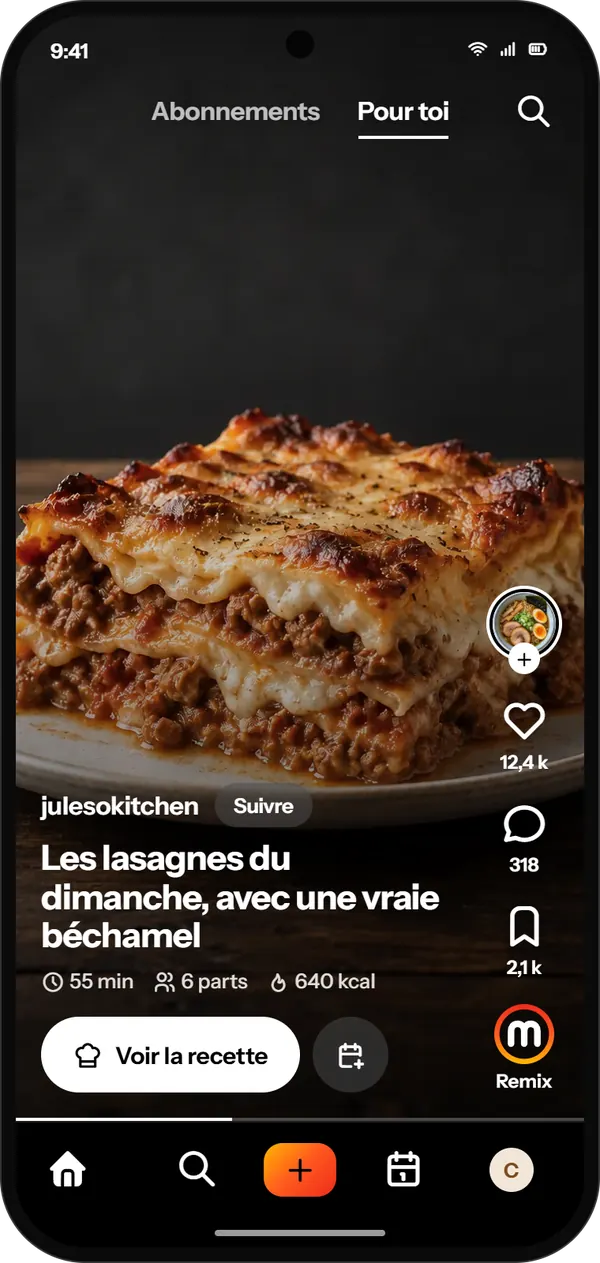
Following or For you: members' recipes scroll by full screen, and “See the recipe” opens their ingredients and steps.
On screen: For you, a lasagne full screen, with “See the recipe”.
-
The import
A reel becomes a recipe.
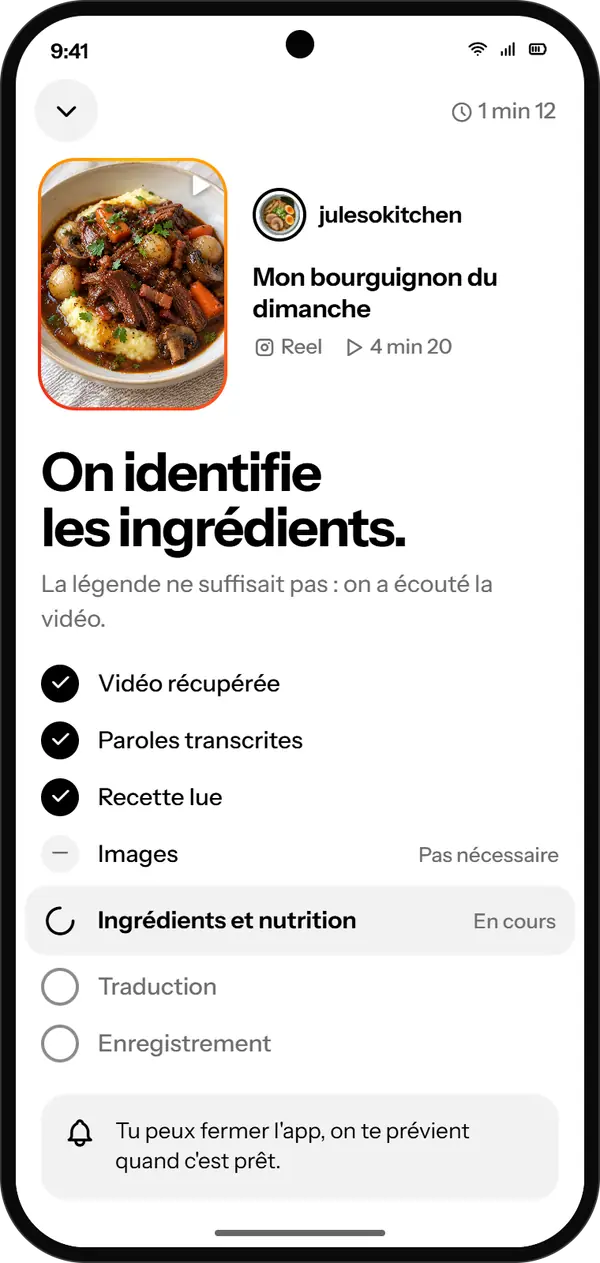
Paste the link of a reel, a TikTok, a YouTube video or a blog. Merryl reads the caption, listens to the video if that is not enough, looks at the pictures if it has to, and pulls out the ingredients and the steps. You can close the app: the import goes on.
On screen: a reel being imported, Merryl finding the ingredients.
-
The recipe
No more pausing the video.
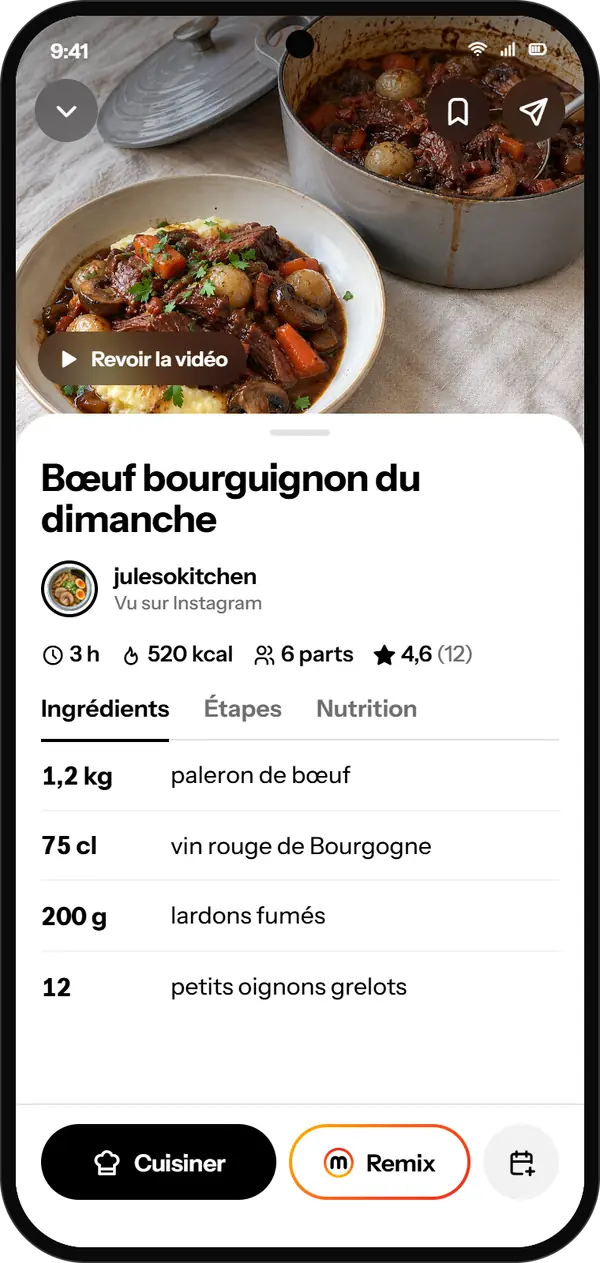
The ingredients, the steps, the time and the servings fit on one page. The creator stays credited, and their video is never far: “Watch the video”.
On screen: a beef bourguignon recipe, with its creator credited, the time, the servings and the ingredients.
-
Cooking mode
One step at a time.
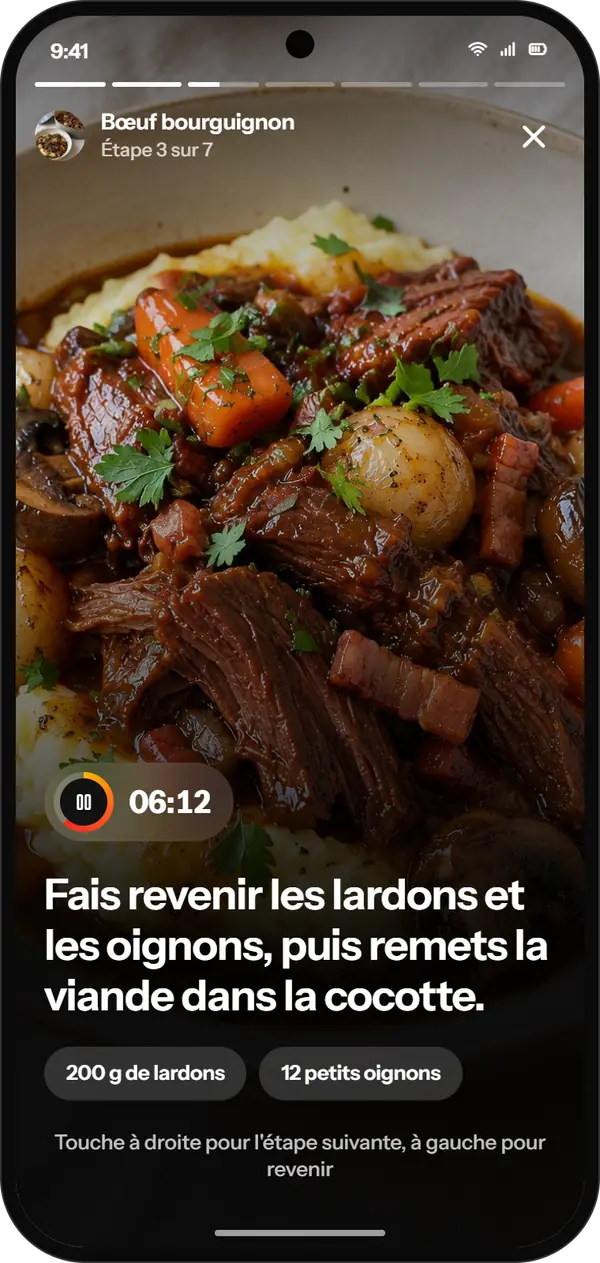
Cooking mode keeps the screen on and starts the timer of any step that gives its time. Tap on the right for the next step, on the left to go back.
On screen: cooking mode, one step in large type, with a timer.
-
The week
Your week in one go.
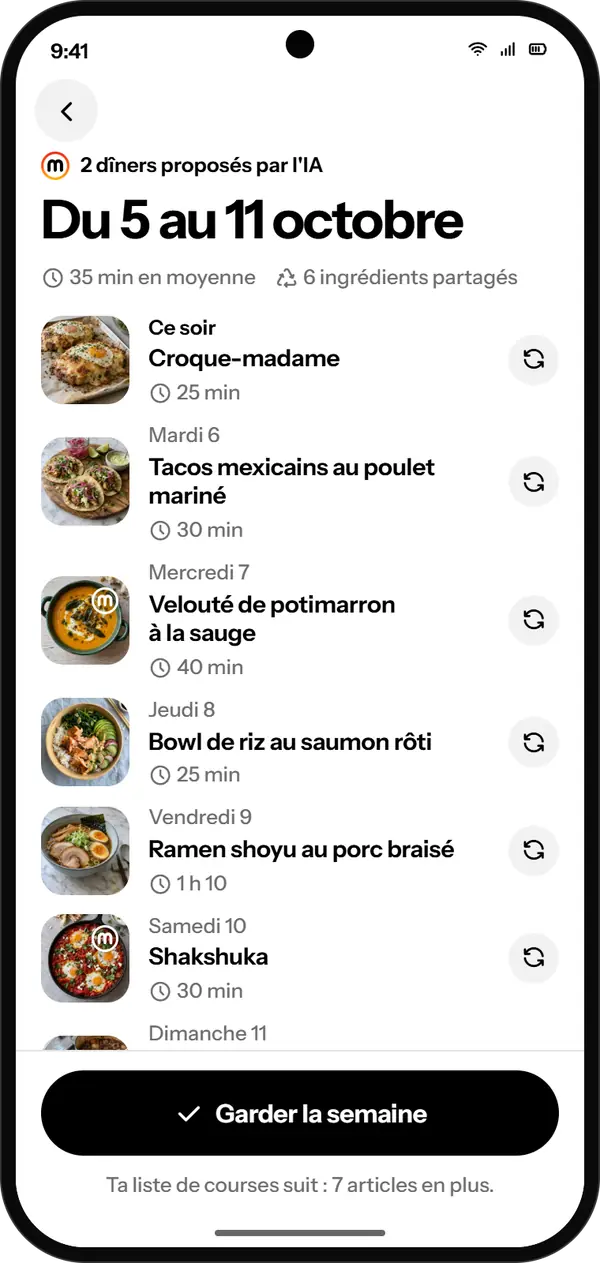
Pick the evenings to cover: “Generate my week” suggests dinners that share their ingredients, and leftovers make the next evening if you want to cook less often. Not in the mood for a dish? “Change this dish”. Then “Keep the week”.
On screen: the week of 5 to 11 October, one dinner per evening, each one replaceable.
-
The groceries
One list, shared.
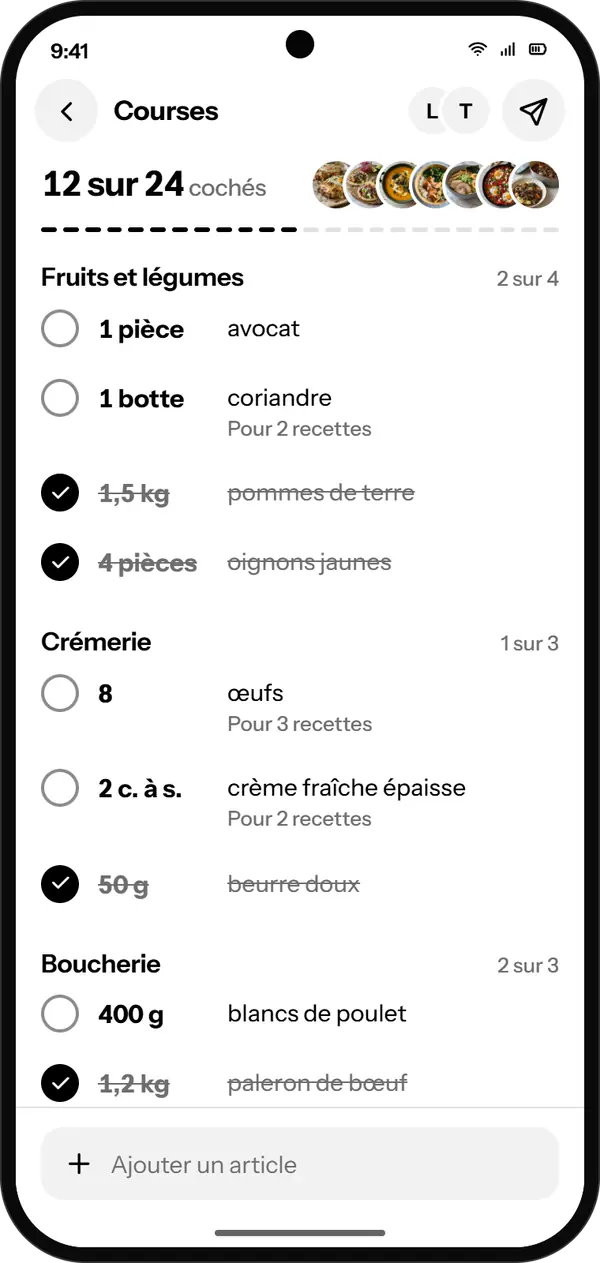
Your grocery list follows, sorted by aisle and without duplicates. Share it: whoever opens it ticks items off at the same time as you.
On screen: the shared grocery list, 12 items ticked out of 24, sorted by aisle.
 The week
What members cook.
When you are done cooking, post your dish. It joins the recipe, your profile and the feeds. On the recipe, “They cooked it” gathers the dishes posted, and if the recipe comes from a member, they will see that you cooked it.

-
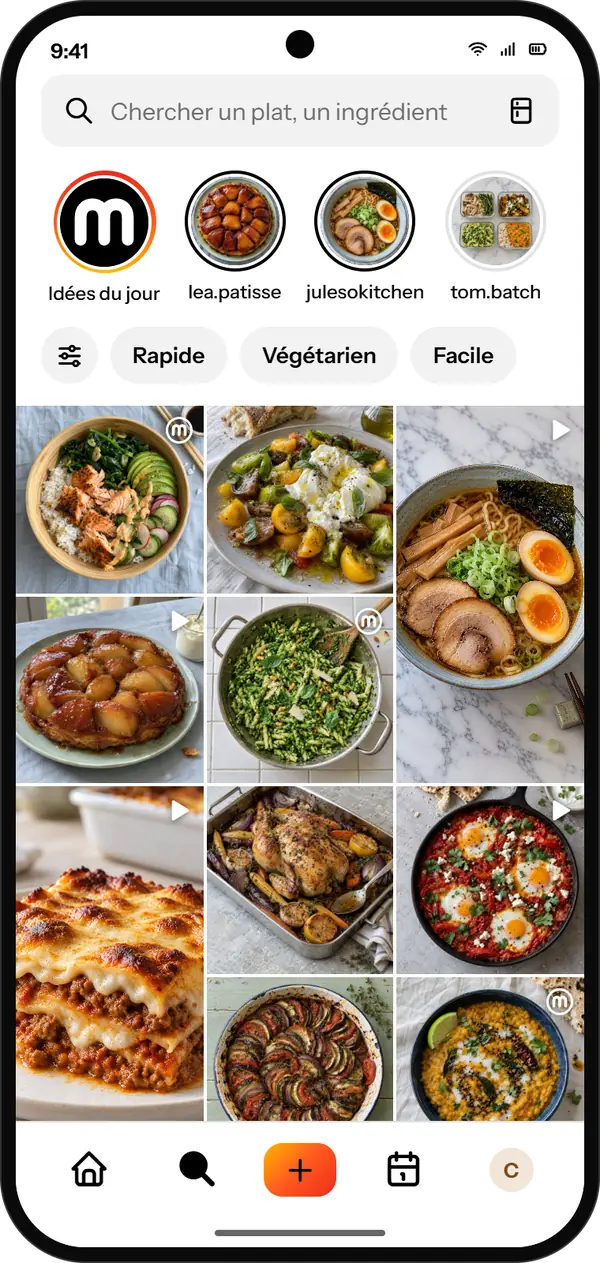
Stories. Those of the members you follow, and Merryl's “Today's ideas”, picked for you. -
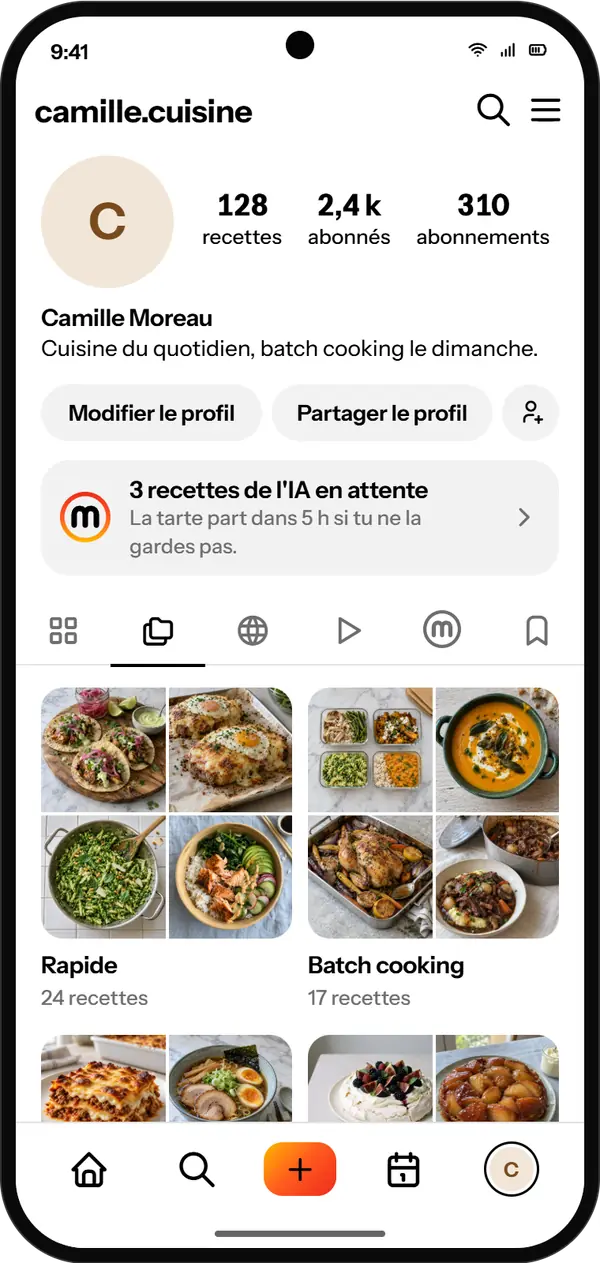
Your profile. Your recipes and your dishes. Your collections form on their own, as soon as two recipes share a tag.


Merryl's AI
 Merryl's AI
With what you have left.
Say what you have at hand: the AI finds the dish. A recipe for tonight, or the dinners of the whole week. Its ideas arrive as stories: keep the ones you like, the others go away on their own after 24 hours.
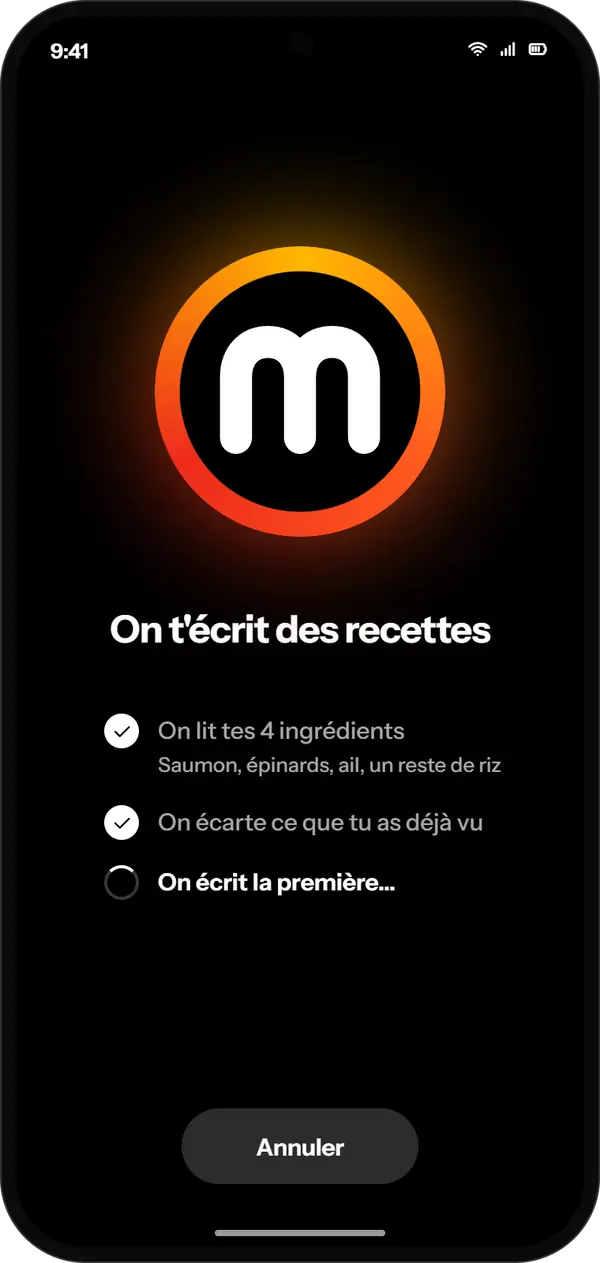
Recipes written for you. The AI reads your ingredients, sets aside what you have already seen, and writes each idea for you.
On screen: Merryl's ring of fire and the steps under way.

Keep the ones you like. A kept idea joins your profile, with the AI's sign on its thumbnail.
On screen: an AI idea as a story, spinach and garlic pesto pasta.
Remix.
Make it your own. A recipe you almost like? Merryl rewrites it quicker, vegetarian or without an oven.
Write your own.
Typed or spoken. Dictate your recipe, Merryl puts it in shape.
Merryl in ChatGPT
Write a recipe with ChatGPT, then say “add it to Merryl”: it lands in your notebook, privately. ChatGPT can then create a picture of the dish and add it to the recipe.
Write me a tarte Tatin for 6 and save it in Merryl.

Saved to your Merryl notebook Private
Tarte Tatin
Open in Merryl- You need a Merryl account, and sign-ups are not open yet. Already have an account? You can connect ChatGPT with its address.
- You connect your account once, with a code sent by e-mail, or your password if you have one. After 90 days without using it, you connect it again.
- ChatGPT does not read your notebook: it can only add recipes to it, and a picture to a recipe that has none.
- You disconnect ChatGPT whenever you like, in the app.

Merryl is in a closed test
Sign-ups are not open yet.